
Cycling Computers Explained: What Features You Actually Need
Cycling computers can feel overwhelming when you first start comparing models. Screens, sensors, maps, metrics — it’s easy to assume you need everything. Yet most riders only use a handful of features on every ride. This guide breaks down what actually matters, what’s optional, and how to choose a device that fits the way you ride.
Why Cycling Computers Matter
A cycling computer does more than track your speed. It helps you understand your progress, follow routes confidently, and also stay motivated. Even so, the best computer is the one that gives you the information you’ll actually use, not the longest spec sheet.
There is a temptation to buy the computer with the most features, but you may not need all of them. With top end units costing well over £500, sitting down and thinking about what essential features you actually need may well save a fair bit of money.
The Core Features Every Rider Needs
1. Speed, Distance, and Ride Time
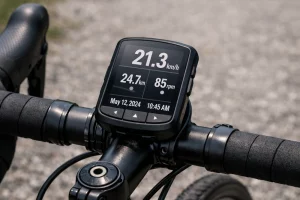
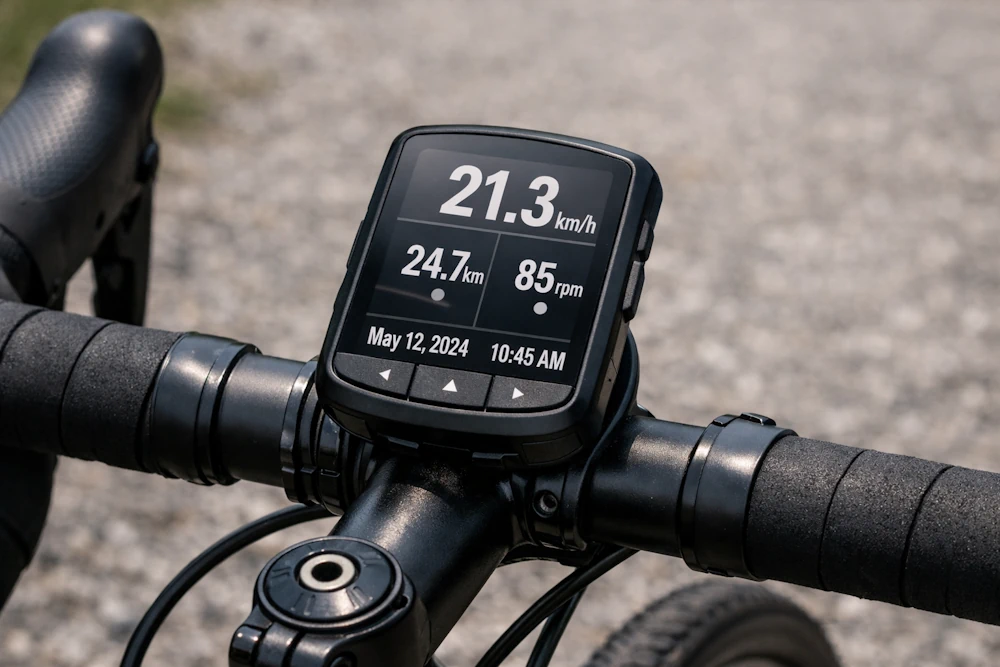
These are the essentials. Every cycling computer, from basic to premium, will show:
- Current speed
- Average speed
- Ride time
- Distance covered
These metrics help you pace your ride and then track improvements over time. For many riders, this is enough.
2. GPS Tracking
GPS is one of the features that separates modern cycling computers from old‑school wired units. With GPS, you can:
- Record your route accurately
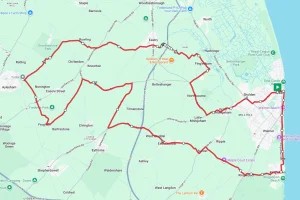
- Get turn-by-turn navigation for your route
- Sync rides to Strava, Komoot, or RideWithGPS
- Analyse your performance afterwards
Even entry‑level GPS computers now offer solid accuracy and battery life.
3. Easy‑to‑Read Display
A clear screen matters more than you think. While high‑resolution colour displays look great, what you really need is:
- Good visibility in bright sunlight
- Large, customisable data fields
- Simple navigation through menus
If you can’t read your stats at a glance, the computer isn’t doing its job.
4. Long Battery Life
Most riders need at least 10–12 hours of battery life. This covers:
- Weekend rides
- Long sportives
- Multi‑day touring with occasional charging
If you ride ultra‑distance events, look for 20+ hours or the option to charge while riding.
Useful Features You Might Want
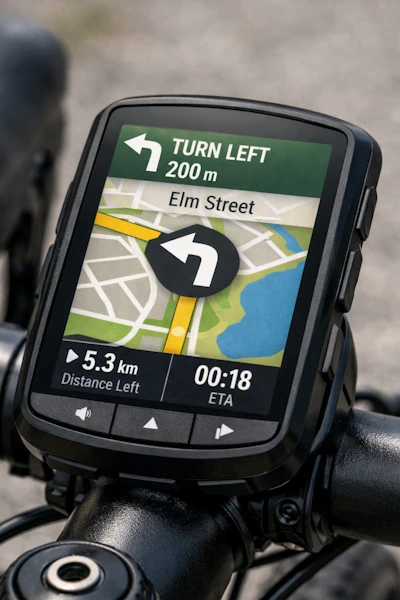
1. Turn-by-Turn Navigation
If you love exploring new routes, this is a game-changer. Navigation lets you:
- Follow GPX routes from Komoot or RideWithGPS
- Get alerts before turns
- Avoid constantly checking your phone
However, if you mostly ride on familiar roads, you may not need navigation.
2. Heart Rate Monitoring
Pairing a heart rate strap gives you deeper insight into your fitness. It helps you:
- Train in the right zones
- Avoid over‑exertion
- Track improvements in endurance
It’s especially useful if you follow structured training plans.
3. Cadence Sensor Support
Cadence, which is a measure of how fast you pedal, is one of the most helpful metrics for improving efficiency. Sensors for measuring cadence are generally small, cheap, and easy to pair. It’s ideal for:
- Improving climbing rhythm
- Maintaining smooth pedalling
- Avoiding fatigue on long rides
4. Power Meter Compatibility
Power meters are brilliant for training, but they’re not essential for most riders. If you don’t use a power meter, you don’t need this feature. If you do, make sure your computer supports:
- ANT+
- Bluetooth
- Advanced power metrics
5. Smartphone Notifications
Some riders love this, others turn it off immediately. However, notifications can be helpful for:
- Seeing who’s calling
- Getting emergency messages
- Staying connected on long rides
But they can also be distracting, so ultimately it’s a personal choice as to whether to have them on or off.
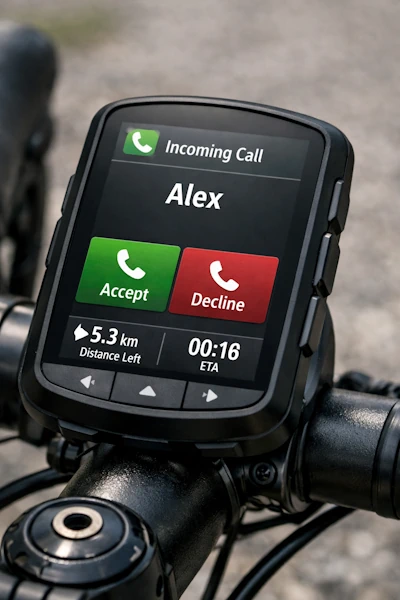
5. Smartphone Notifications
Some riders love this, others turn it off immediately, however, notifications can be helpful for:
- Seeing who’s calling
- Getting emergency messages
- Staying connected on long rides
But they can also be distracting, so ultimately it’s a personal choice as to whether to have them on or off.
Premium Features You Probably Don’t Need
High‑end computers often include features that sound impressive but aren’t essential for everyday riding. These include:
- Climb prediction tools
- Advanced training analytics
- Live tracking for multiple riders
- Full‑colour mapping with 3D terrain
They’re nice to have, but they won’t make you faster or safer.
How to Choose the Right Cycling Computer
Instead of comparing specs endlessly, start with your riding style.
If you’re a casual rider
You need:
- Speed, distance, time
- GPS tracking
- Clear display
A simple, affordable unit is perfect.
If you love exploring
You need:
- Turn‑by‑turn navigation
- Long battery life
- Good mapping
Mid‑range computers shine here.
If you train seriously
You need:
- Heart rate support
- Cadence and power compatibility
- Advanced data fields
A performance‑focused computer makes sense.
Final Thoughts
Cycling computers are incredibly capable, but you don’t need every feature to enjoy your rides. Start with the essentials, add the extras that genuinely help you, and ignore the rest. When you choose a device that matches your riding style, you’ll get more value, more clarity, and more motivation every time you head out.
If you’re looking to purchase a cycling computer check out some that we recommend on our Amazon powered webstore
For more great tips and advice visit our Index Page